---
title: Cloud-Based EHR Software with AI Automation | DrChrono
description: EverHealth Scribe automatically drafts structured clinical notes from patient visits and integrates them within your DrChrono EHR platform, ensuring you retain full control to review and approve every detail before finalization.
---
# 
## Enhance Your DrChrono Experience with AI-Powered Documentation
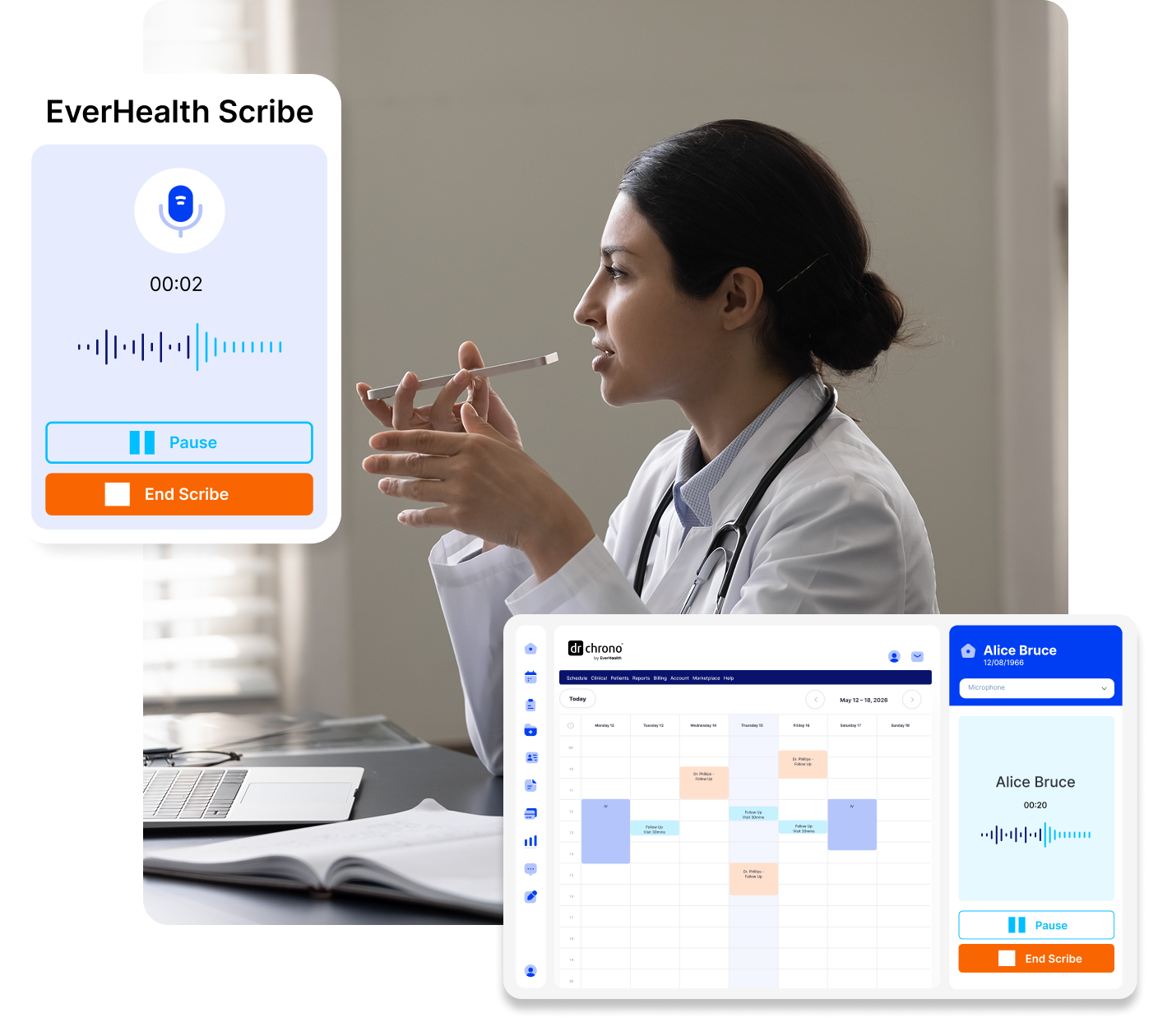
You already have a powerful EHR in DrChrono. Now add AI-powered ambient documentation that makes charting even faster. EverHealth Scribe captures relevant clinical information from provider-patient conversations and generates draft documentation for post-visit review.
Your documentation automatically syncs back into the DrChrono experience you use every day for easy review, adjustment, and final approval.
[See How EverHealth Scribe Works within DrChrono](https://eh.drchrono.com/everhealth-scribe-expansion#how-it-works)
## How EverHealth Scribe Works within Your DrChrono Account
← Previous
Next Step →
## Save Time and Get Paid Faster
**8 Mins**
Average documentation
time saved per visit
**32%**
Increase in same-day
claim submissions
A Natural Extension of DrChrono
#### Most AI documentation tools sit outside your EHR, resulting in disconnected workflows. EverHealth Scribe is fully integrated with DrChrono’s EHR, practice management, and billing platform—making adoption a natural next step that feels simple and familiar.

##### Give patients your full attention
Capture the visit naturally, without typing, templates, or interruptions.

##### Finish notes faster, often the same day
Automatically generated, structured notes reduce after-hours charting and admin overload.

##### Reduce burnout across your team
Less documentation pressure means more sustainable days for clinicians and staff.

##### Maintain consistency and accuracy
Structured notes support quality reporting, billing, and continuity of care.
[ ](https://eh.drchrono.com/hs/cta/wi/redirect?encryptedPayload=AVxigLJA7aDTpj%2FzwsAhIXQK%2FnEv8FwKL6B7HtsX7%2BkeJBzaZcbxFEwWNsGAwG%2FB864CWFQmr01xWDwuWMjEFg5t1H9%2FUon4Jad4UgZsfWMAHHpXKsVmMdr%2B%2B0CF0VEfIHJDXCCrmlw4VgNYM511gqsPNFaYKJYBwO830Bq9aFaYeqyXFDIj235IfxgTSnNtEBhYuIGAQQpn1KP06mlTg8CLR1i%2F%2Bs0Pp0jSnsuPKuZznn2h&webInteractiveContentId=208856651612&portalId=47666083&hsLang=en)
## Frequently Asked Questions
Q: What is EverHealth Scribe?
A: EverHealth Scribe is an AI-powered ambient documentation tool that listens to provider–patient conversations and automatically generates structured clinical notes inside DrChrono. It reduces manual charting so clinicians can focus more on patient care, improve throughput, close charts faster, and reduce burnout.
Q: How does EverHealth Scribe work during a patient visit?
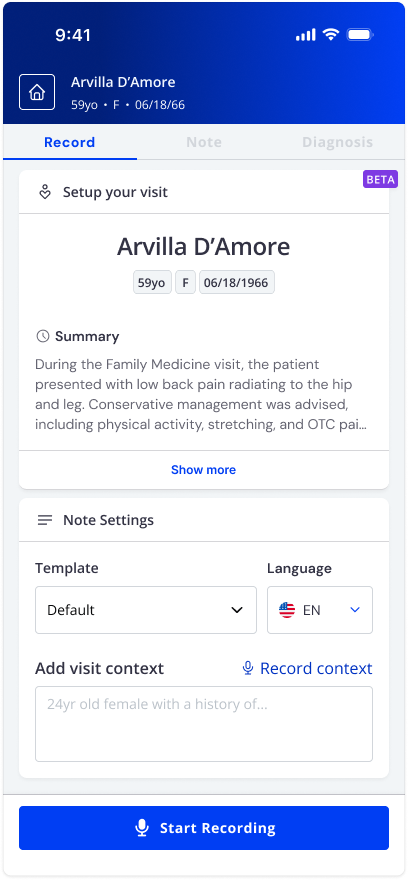
A: EverHealth Scribe listens passively during the visit and creates a draft clinical note based on the conversation. After the visit, providers review, edit if needed, and sign the note before it is “sent to chart” and becomes part of the medical record. Scribe supports more than 10 languages and works for in-person or telehealth visits.
Q: How accurate are the notes generated by EverHealth Scribe?
A: EverHealth Scribe is designed to produce structured, clinically relevant draft notes. Providers always remain in control by reviewing, editing, and approving notes before finalizing them. The tool is meant to reduce effort, not replace clinical judgment or human touch.
Q: Is EverHealth Scribe secure and compliant?
A: Yes. EverHealth Scribe follows industry-standard security practices and is designed to support HIPAA compliance. Patient data is protected through secure handling, access controls, and encryption consistent with EverHealth and DrChrono’s company-wide standards.
Q: How does EverHealth Scribe compare to traditional scribes or dictation tools?
A: Unlike traditional scribes or dictation tools, EverHealth Scribe works passively in real time, requires no manual commands, and doesn’t introduce scheduling or staffing complexity. It delivers consistent documentation support at scale, directly within DrChrono.
Q: Will adding EverHealth Scribe affect our current DrChrono setup or workflows?
A: No. EverHealth Scribe adds functionality without disrupting your existing DrChrono configuration, templates, or workflows. Your current documentation processes remain available.
[](https://www.drchrono.com/)
©2026. All rights reserved